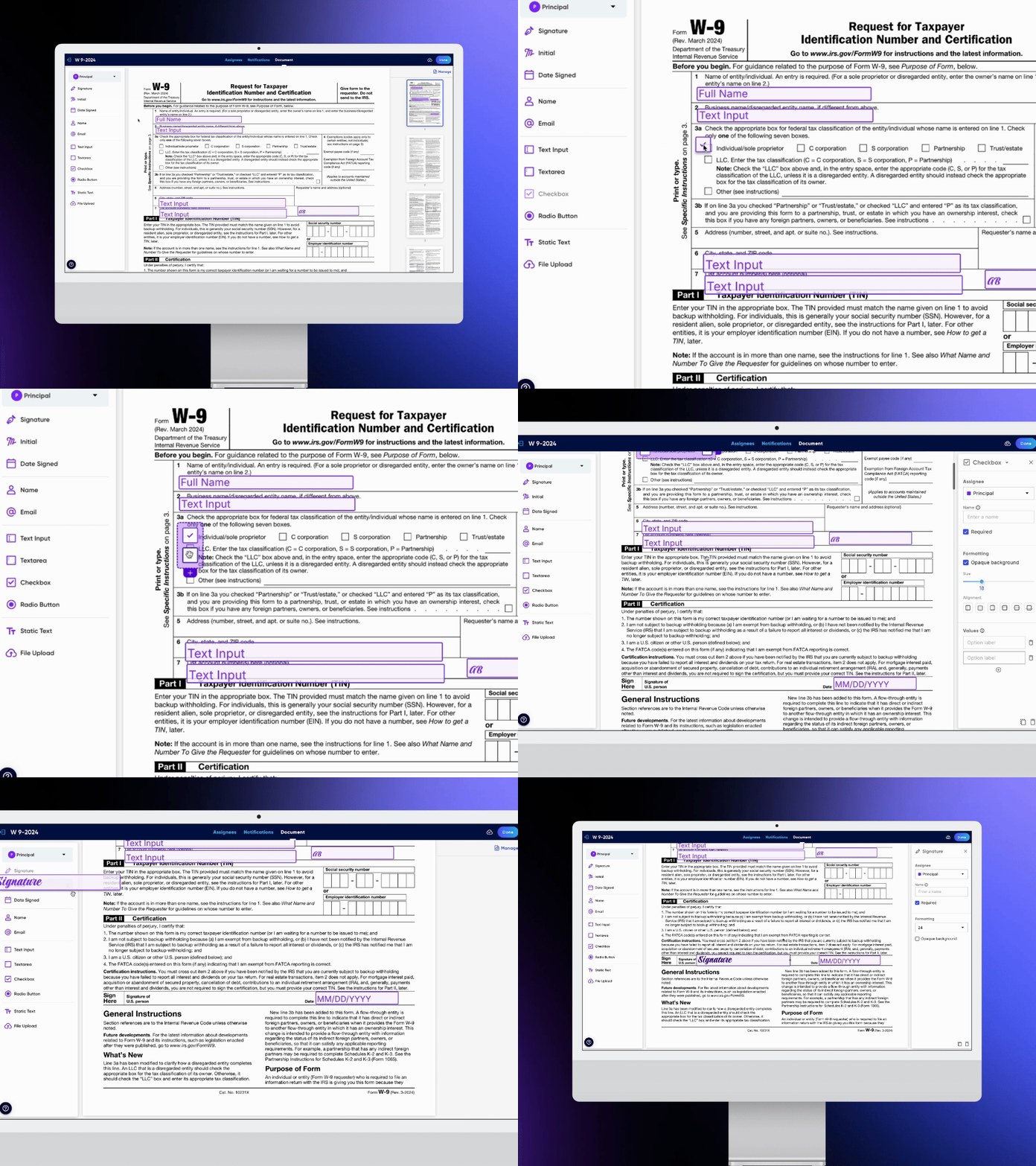
DropletSign eSignatures // Droplet
UI/UX Design Project
“Droplet has helped me to have the carrier agreements, authorizations, and transport documents signed without following the faxed copies or costly phone pictures.”
TL;DR
I helped design & launch DropletSign, our new eSignature product, which generated an additional $400K in revenue in the first year, representing ~7% of company revenue.
What’s the Deal With Electronic Signatures?
We’d long lauded ourselves as the way to remove fillable PDF forms forever. Though in time, many of our existing clients expressed the need for a simple tool that could digitally fill out or sign an existing PDF. Eventually, it became clear there was an enormous opportunity in providing an e-signature tool to rival the likes of DocuSign. A way to more quickly allow users to just sign a PDF, rather than setup a robust smart digital form and workflow.
eSignatures Coming Right Up!
This project was more fast-paced than normal and required the whole of our design & engineering teams to swarm together quickly. Essentially we needed to create our own version of DocuSign as quickly as possible. We officially kicked this off in March 2025, and had the MVP deployed by June 2025.
What were the outcomes?
Generated an additional $400k in revenue in the first year, representing about 7% of company revenue.
Penetrated into a new market that opened more opportunities for our sales team.
PDFs aren’t a bad thing anymore?
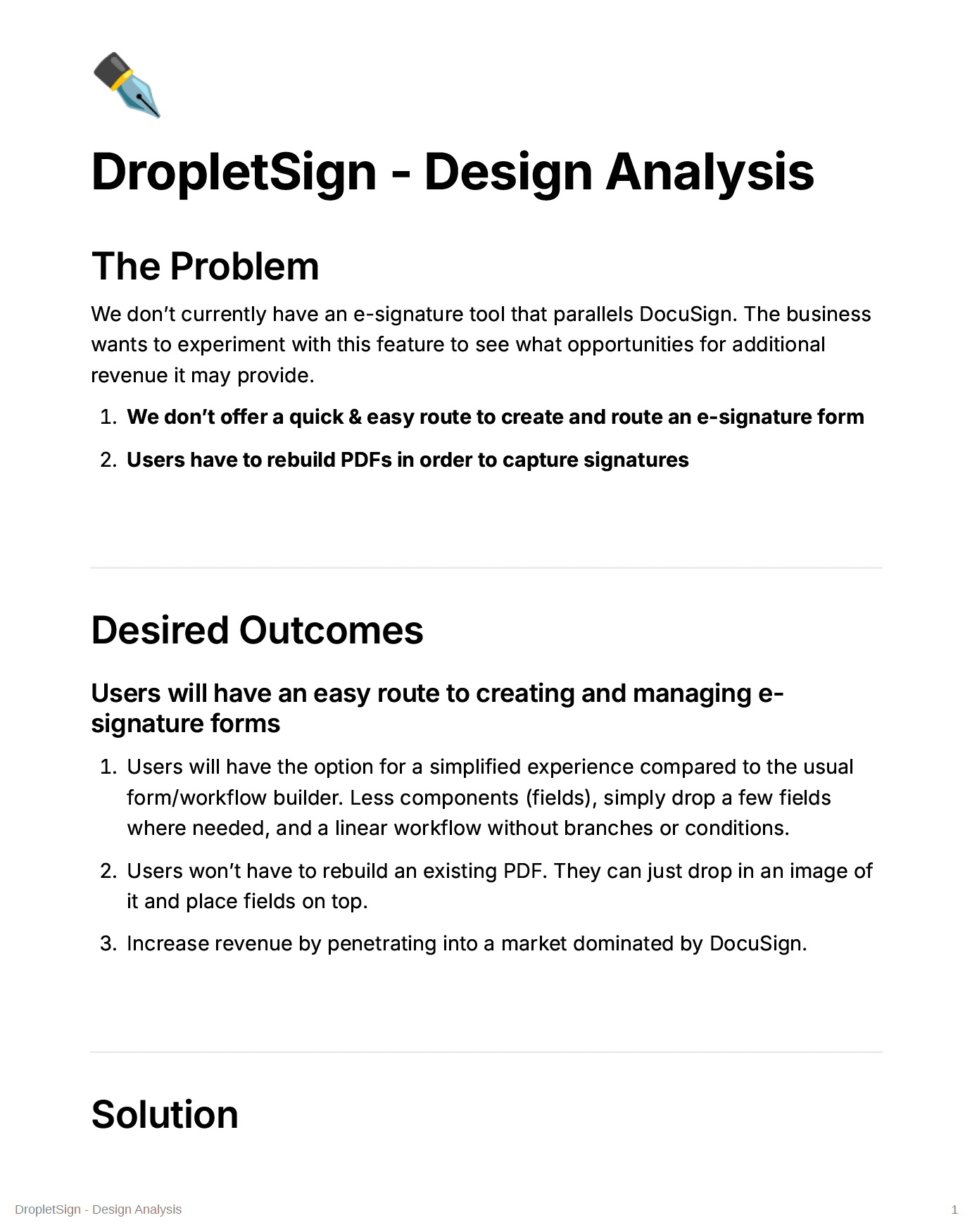
Notion document sample
Our paradigm to this point had been “Death to PDFs”. We were determined to eliminate the world’s need for them. While that’s still a lofty goal, we had to backpedal a bit and reframe. Turns out PDFs still inhabit a major portion of our users’ digital workspaces & processes. Specifically, being able to drop a few fields onto an existing PDF form so they can be easily shared, filled out, and returned.
We created a design analysis Notion doc to help us clearly define the problem, outline our desired outcomes, determine a viable solution, then list out and prioritize all features (anticipating we’d release a version 2 & 3 within the year).
Scope Out the Competition
As a team we compiled a competitive analysis of three main players in eSign software: DocuSign, Sign.com, and Adobe Acrobat Sign. This gave us a sense of what kinds of key features were necessary, how fields ought to behave, how users fill out their forms, etc. You can see those findings below.
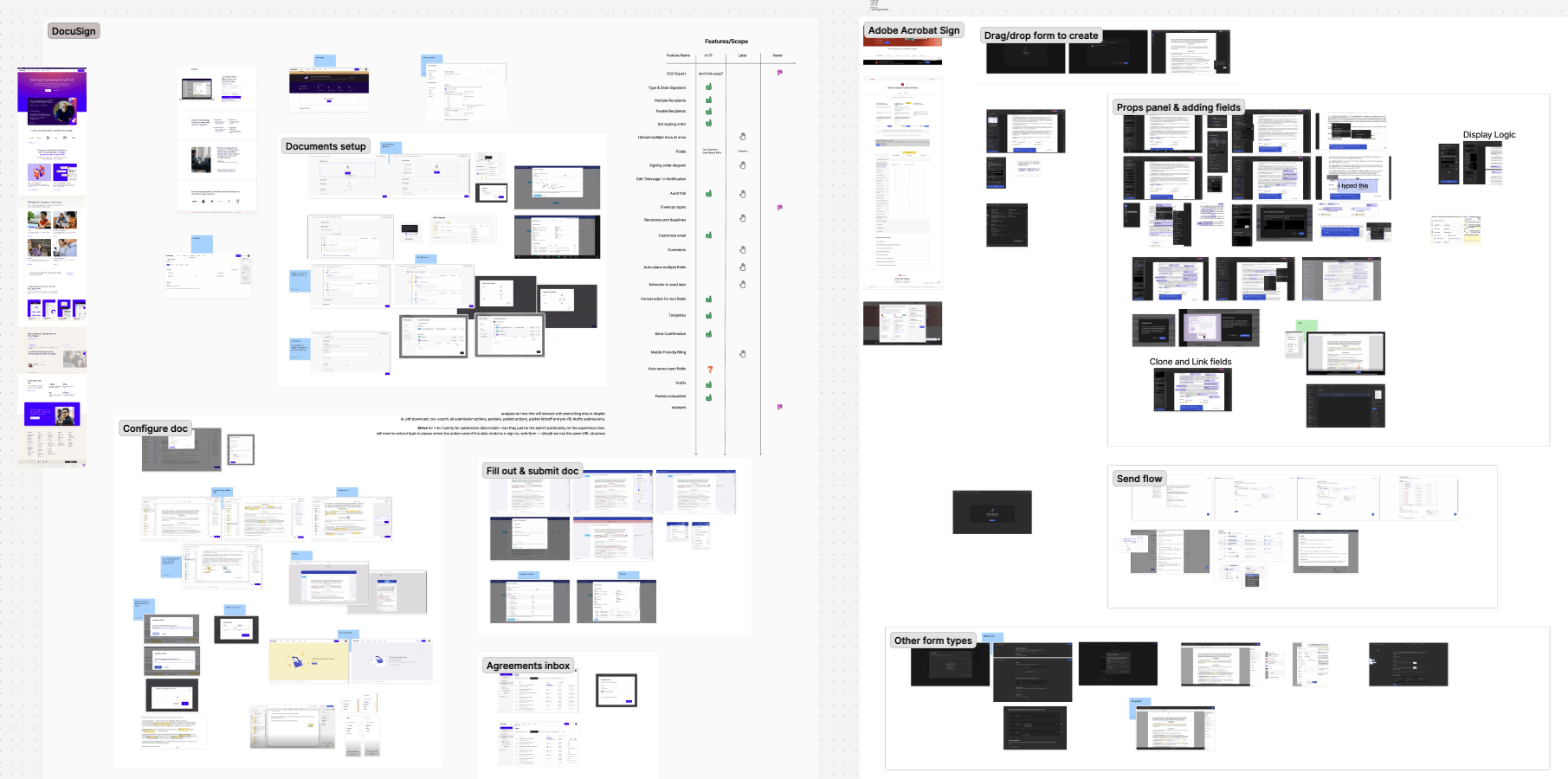
Competitive SWOT analysis
Time to Start Designing (the best part)
Finally, we could jump into Figma and start fleshing out some ideas. The process was a continual cycle of live collaboration in Figma, heads-down design time, and syncing with engineering as they began laying the groundwork. Our first three iterations focused mostly on these key parts of the experience:
Building the form (placing fields onto a PDF)
Managing recipients (adding, deleting, reordering, grouping, etc)
Basic properties panel for each type of field
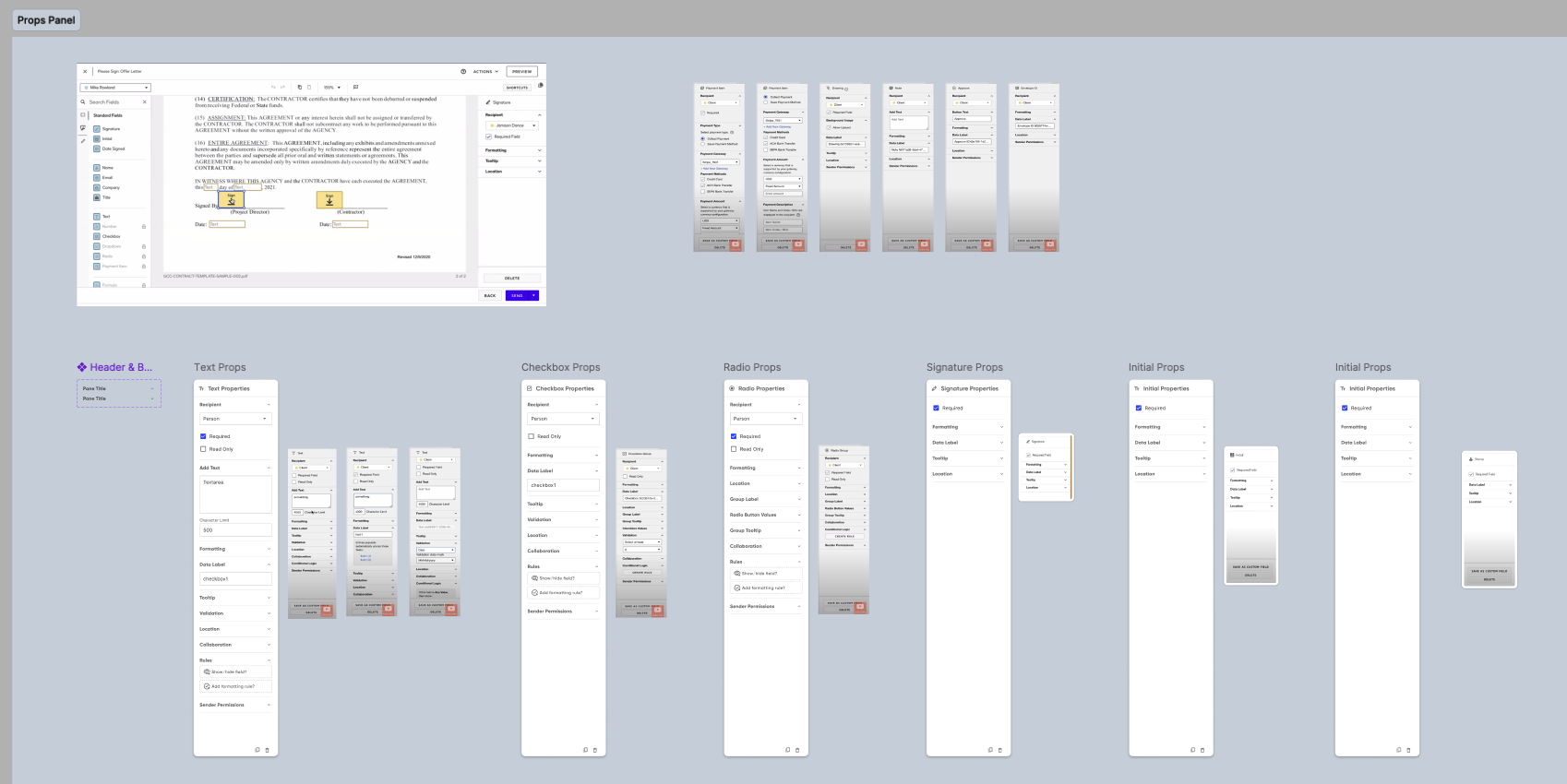
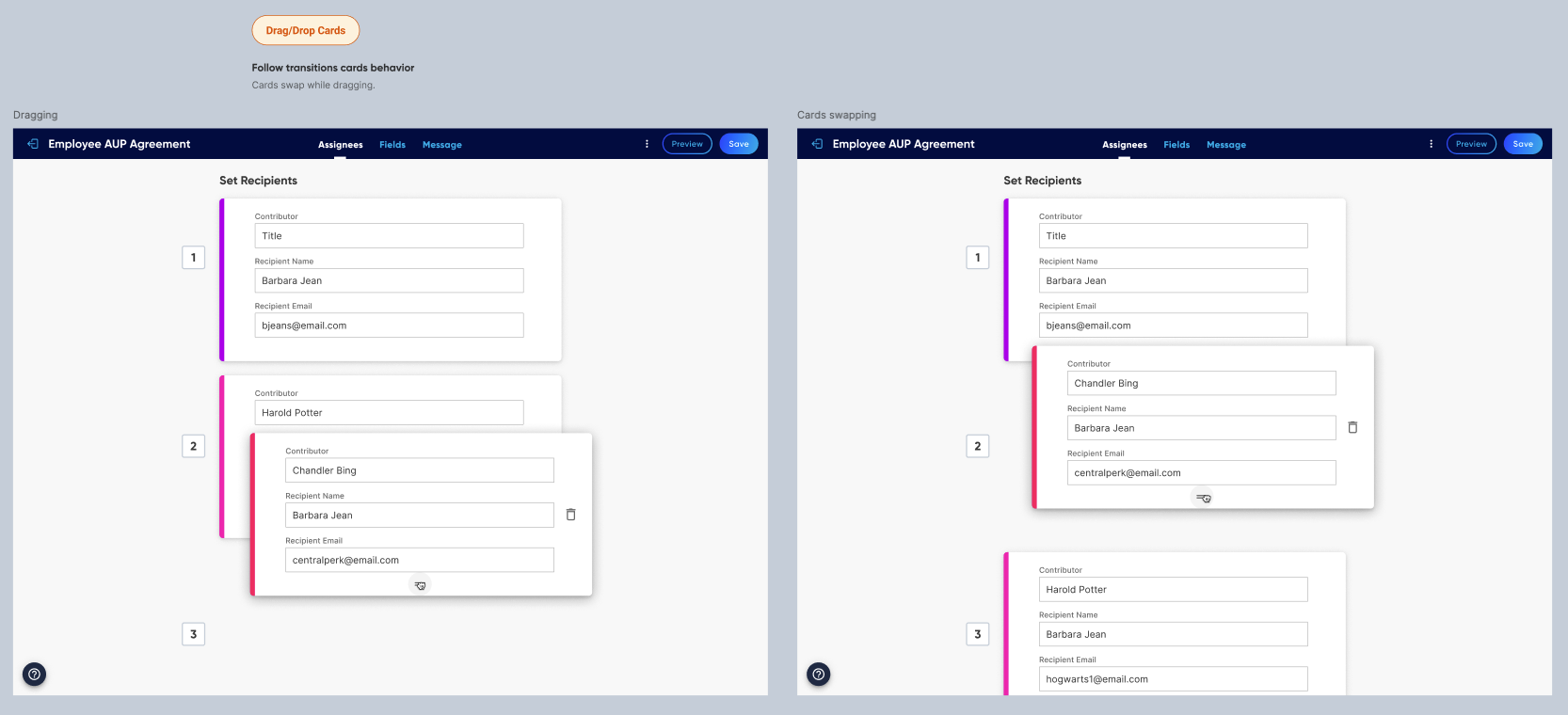
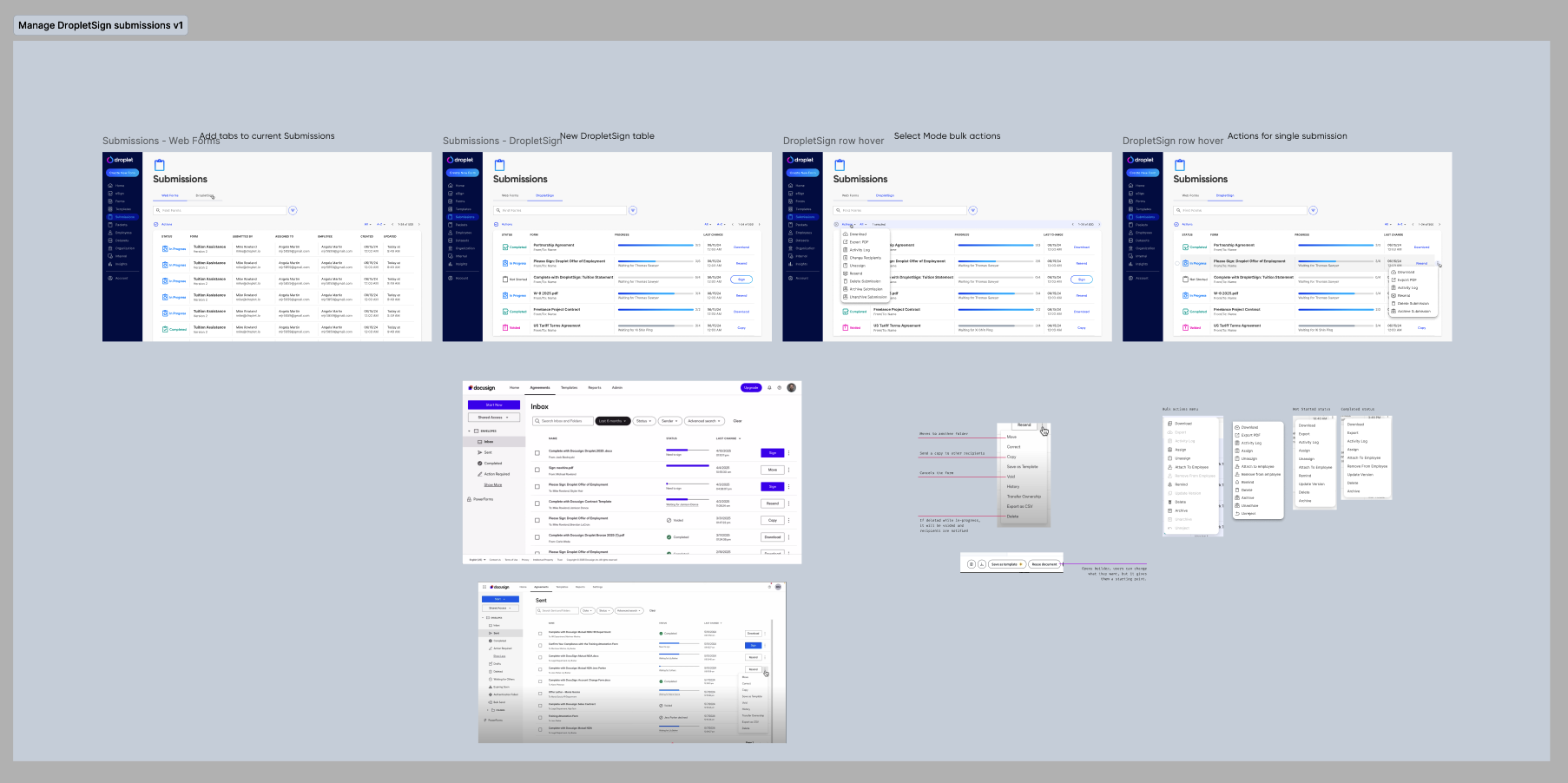
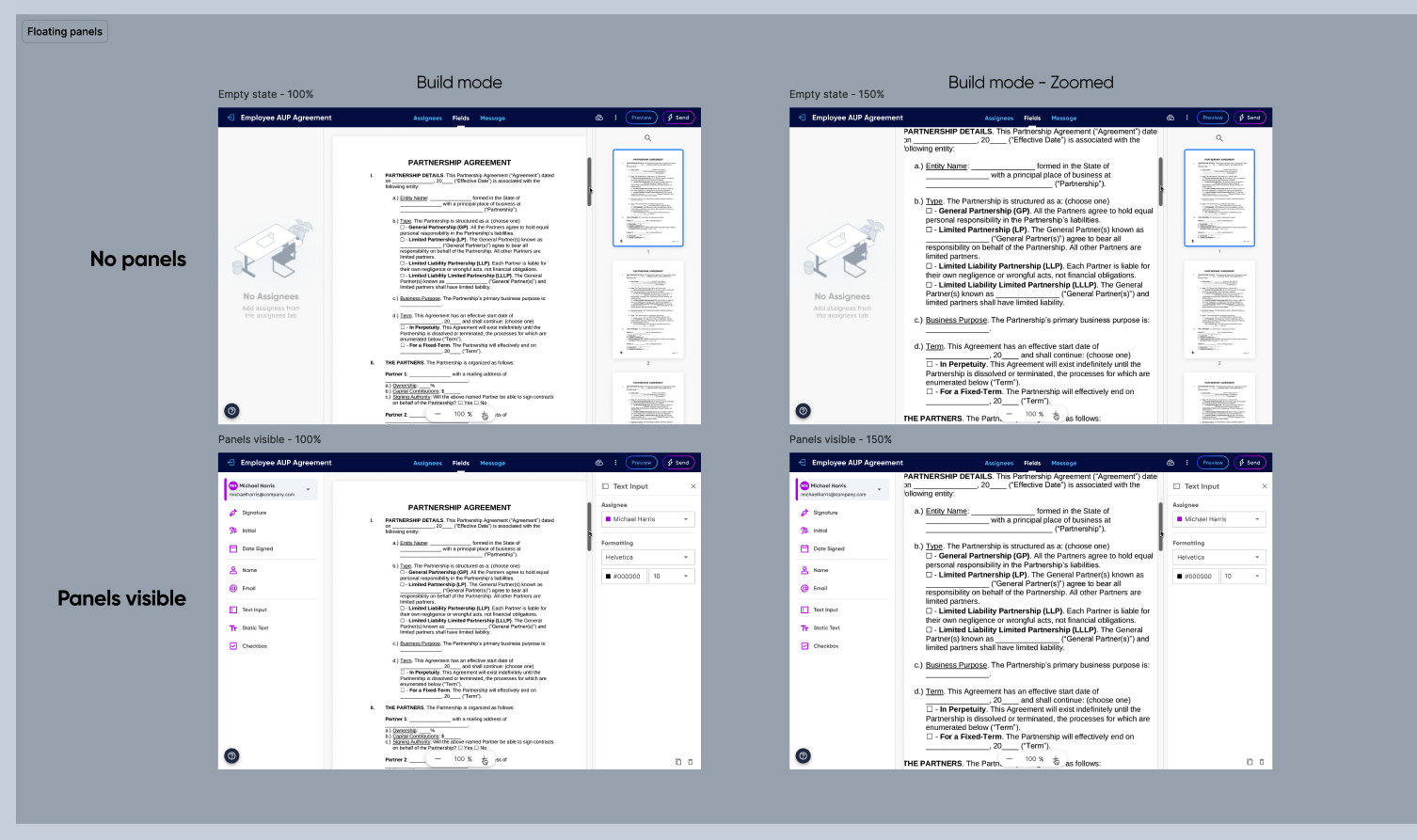
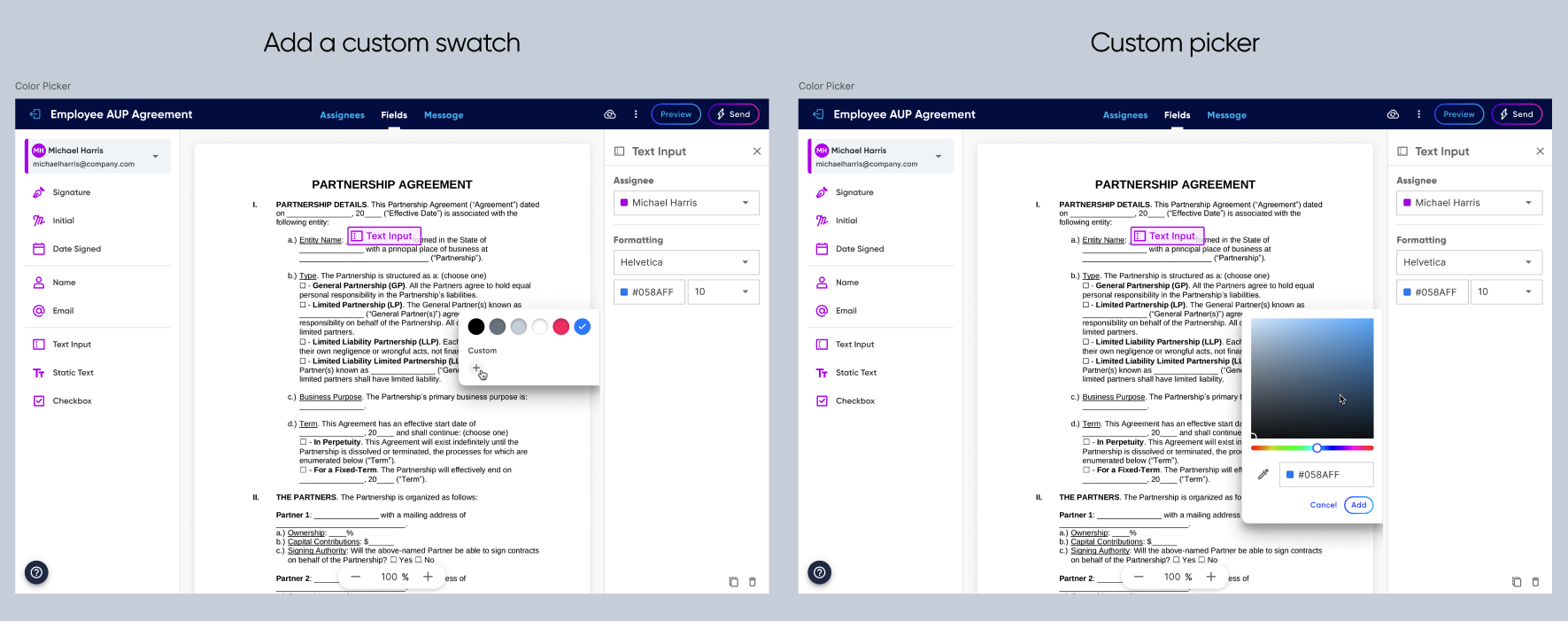
Our fourth iteration expanded to include designs for:
Additional field properties, particularly resizing
Handling errors
Zooming in & out of the canvas during form build & fillout
Email notifications
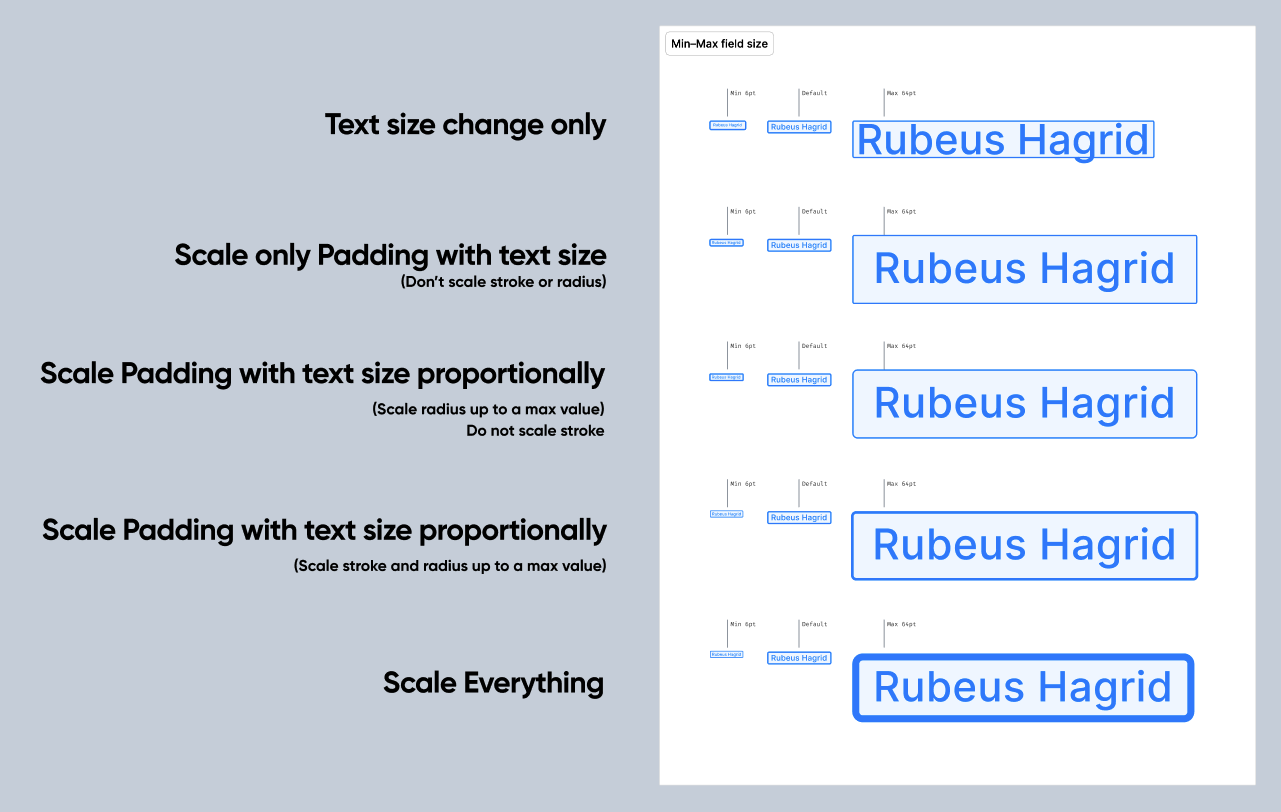
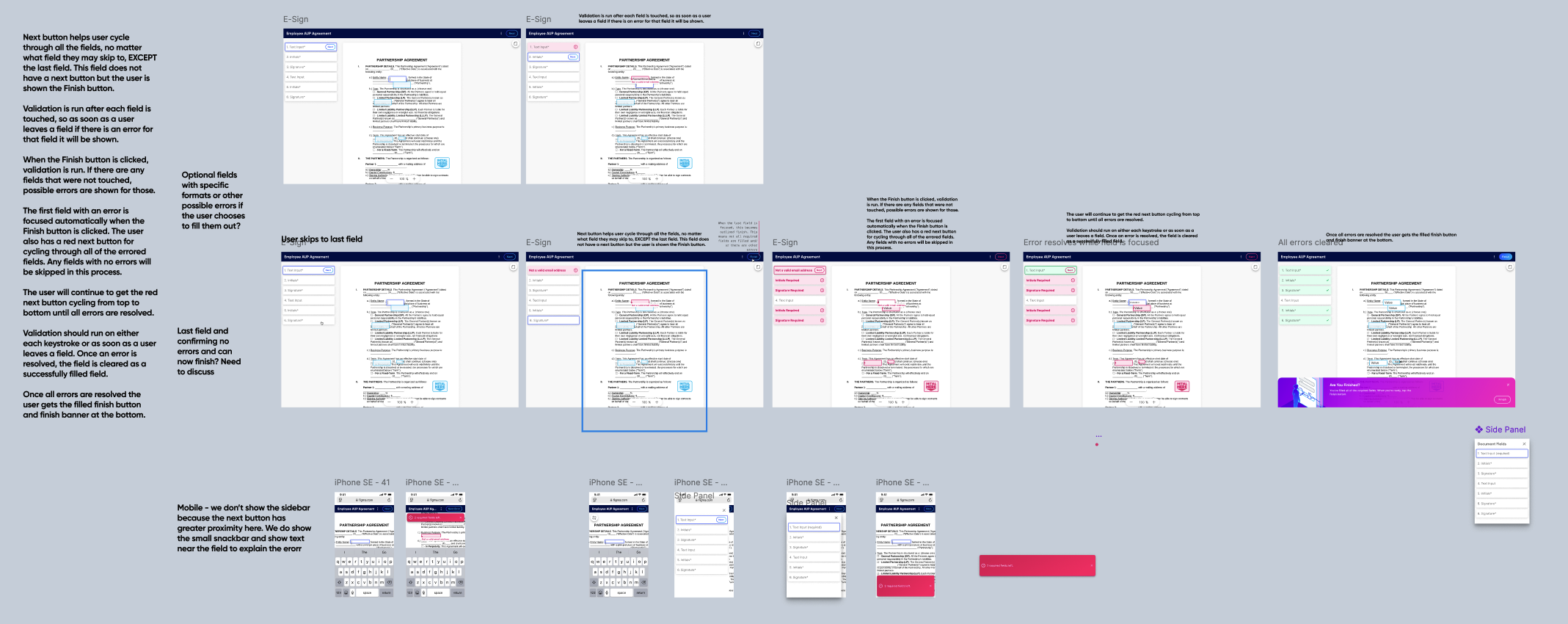
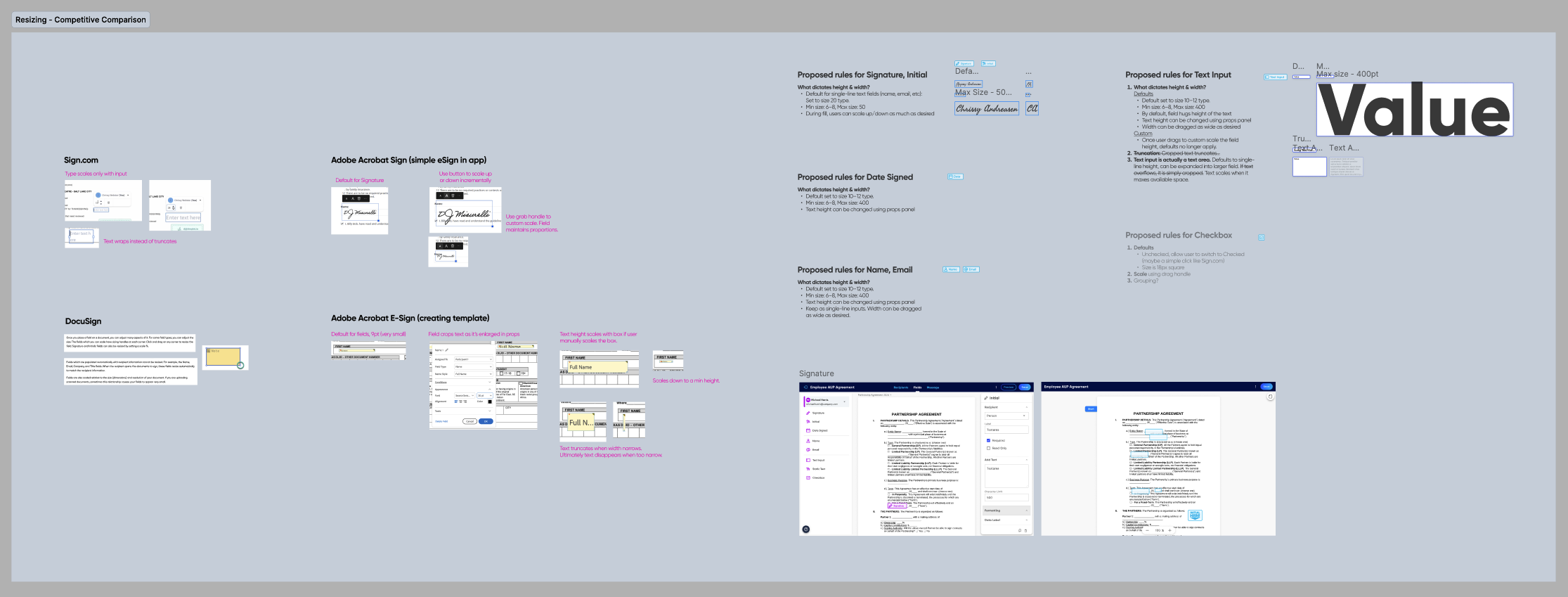
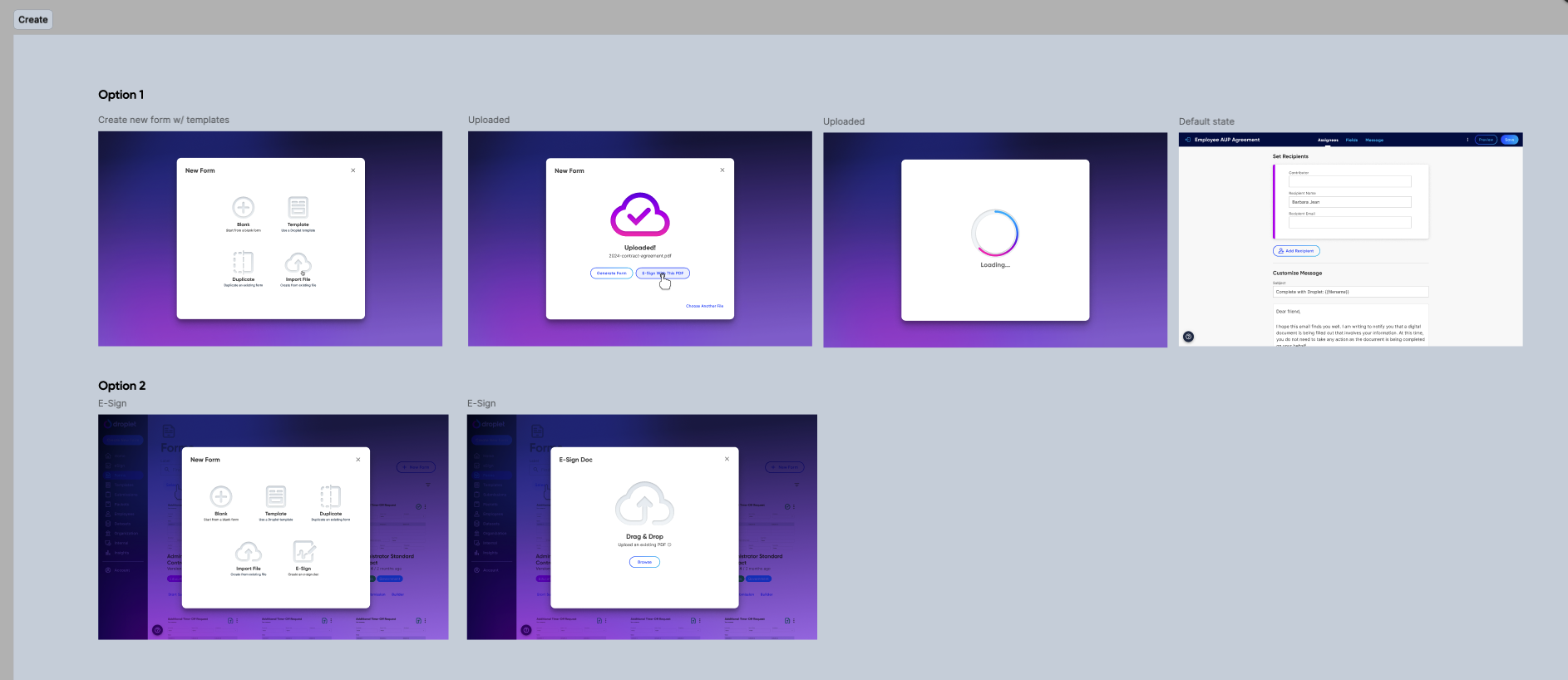
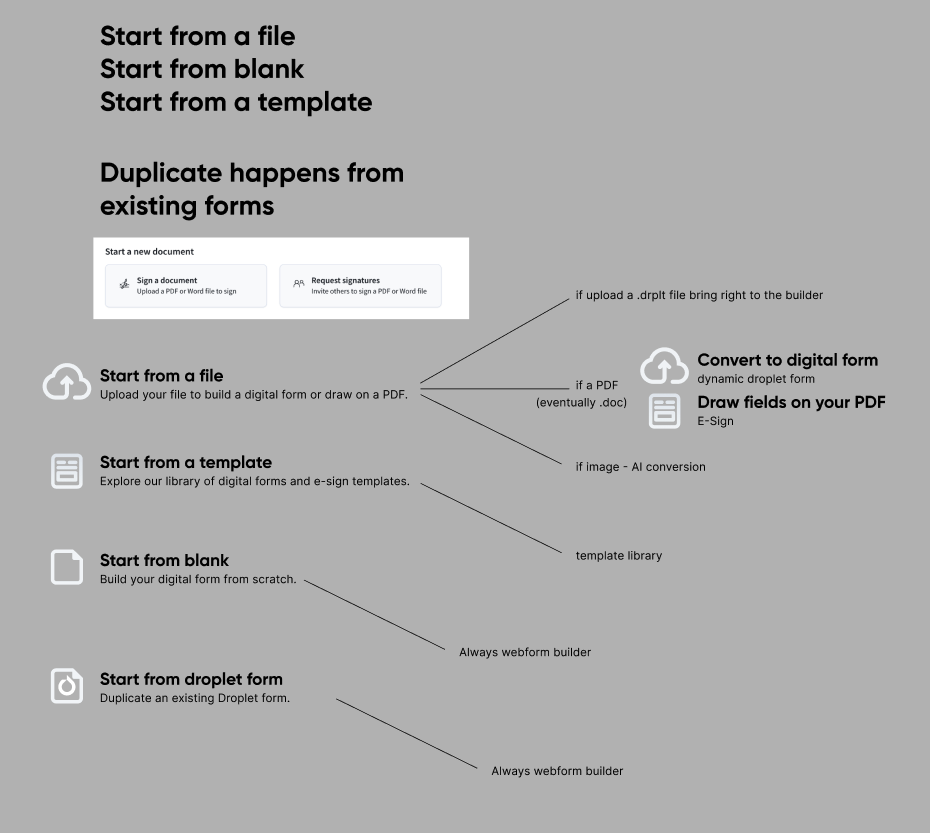
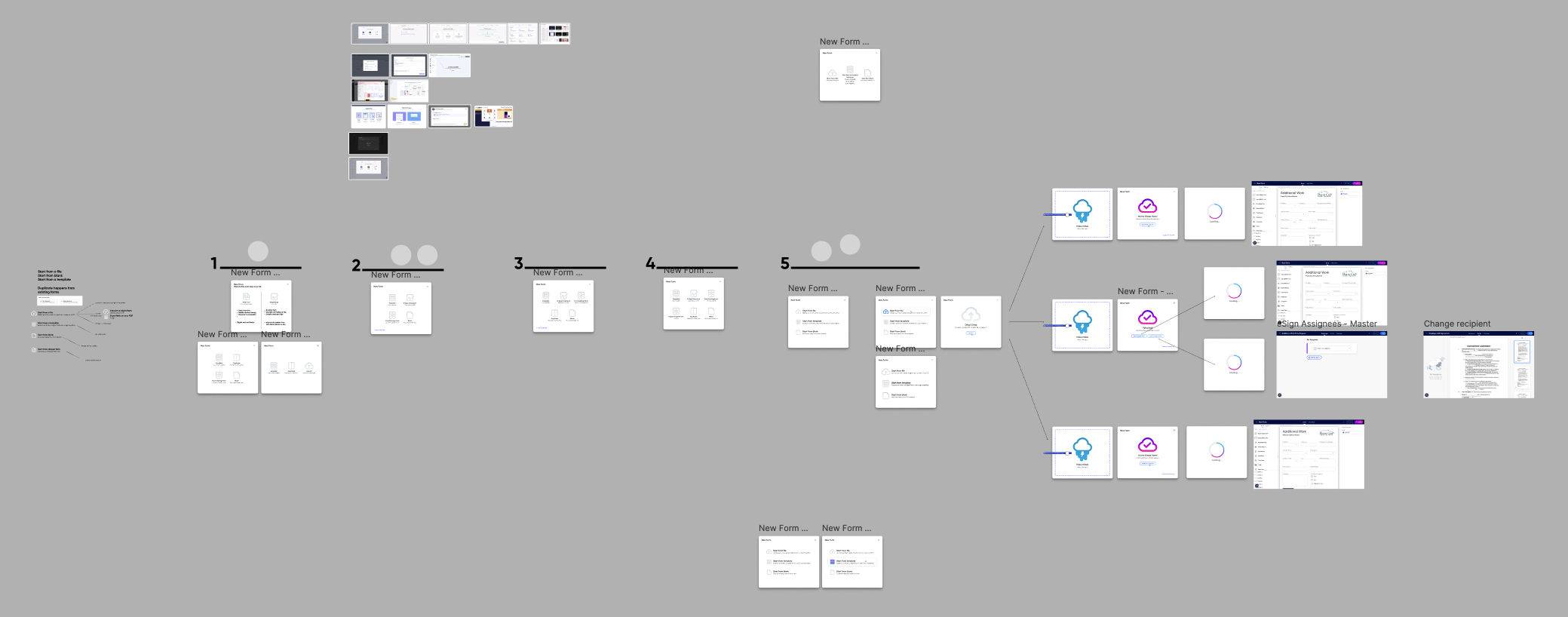
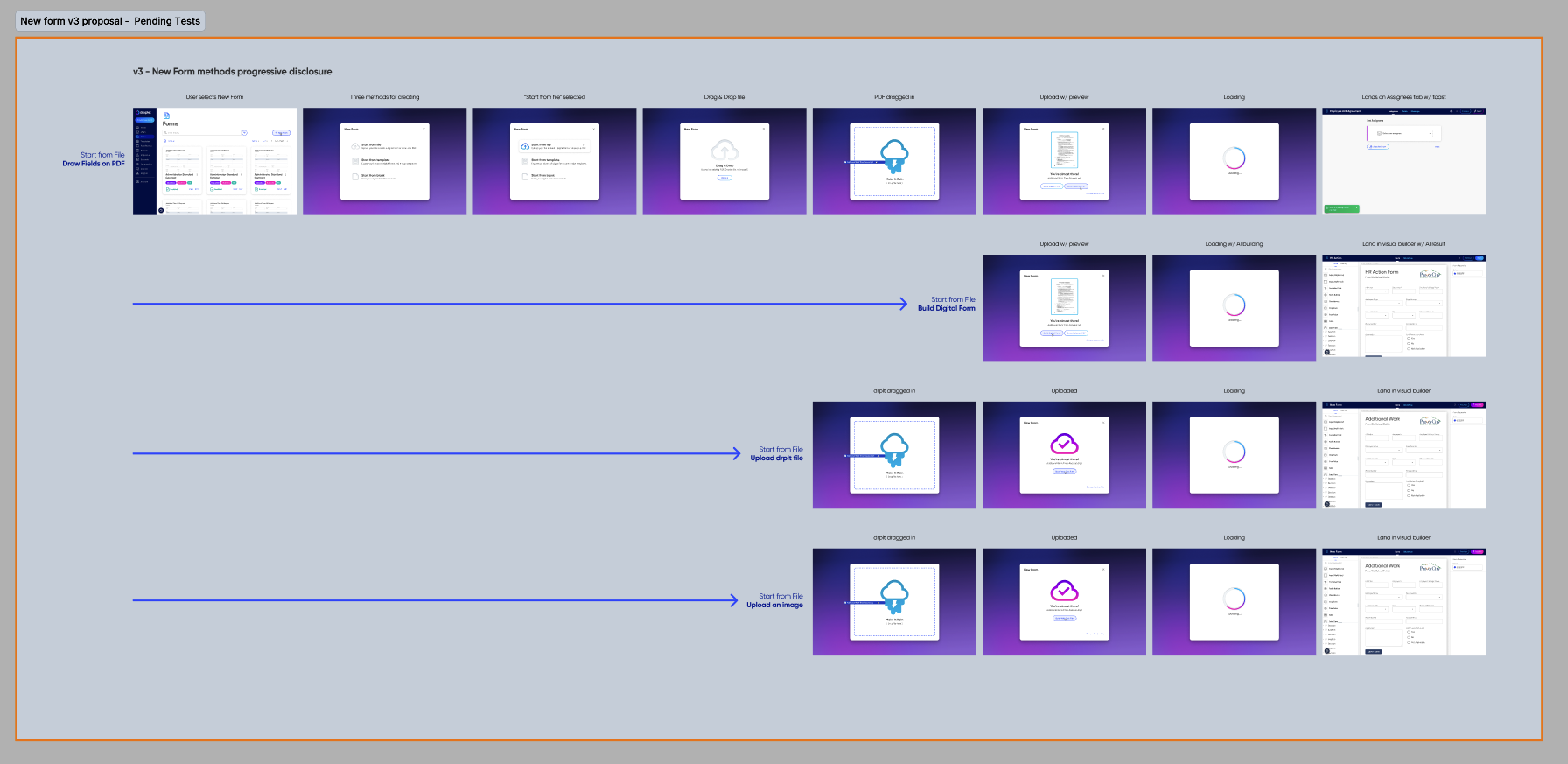
I also created two prototypes to test the best methods for creating a new eSign document. We could go one of two ways:
Have a dedicated page specifically for eSign documents, as opposed to our existing fully digital forms, or…
First have users drag in a file to build with, then ask if they want a digital form or an eSign doc.
The results of these determined that having a separate page for eSigns was more desirable.
Final Stages Before Handoff
From this point it felt prudent to begin mocking up final flows in preparation for handoff. We created a new master file with pages dedicated to each major segment of the user journey. We knew versions 2 & 3 would be following close behind our MVP, so we attempted to label sections in a way that made it clear when these designs were to be built.
Nothing Beats a Prototype
Simultaneously, we provided a polished prototype for our sales team to demo. This was common practice for big new features or upgrades on our platform. This usually resulted in increased sales or even better retention of existing clients.
We used the same prototype to also test how effective our designs were. Given the short timeframe for delivery, I performed usability tests with members of our Implementation team, who are intimately familiar with our users as they work directly with them daily.
Handoff and Continued Iterations
We always provide an “anatomy” section, which annotates the nuts and bolts of how our new designs are built. The remaining flows focus on behaviors as the user performs various tasks. Once handoff began, we continued to meet regularly with our engineers as they made progress. This led to occasional minor edits and corrections to our designs.
Final Deliverables
“To Droplet and beyond! New heights and successes await! The product itself along with the Droplet team expanding their horizons… They keep up with and surpass expectations of the industry.”
Retrospective
What Went Well
We moved at a faster pace than normal. Despite that, we learned how this new product should work, what could set us apart from competitors, created a beautiful design, and delivered a whole new quality product within a tight few months.
* Engineering began building earlier in the process than usual. However they maintained open dialogue with us, allowing each team to inform how this was being built.
What Didn’t Go Well
The fast pace was something we couldn’t sustain for longer than this project. It was a hard sprint that, while invigorating and exciting, left us fatigued at the end.
* It felt like there were times we spent far too long splitting hairs. Specifically with signature fields. We spent days running in circles about this when we could have made a decision and moved on earlier.
End Credits
My fellow collaborators: DJ Misurelli, Head of Product // Jay Wilkinson, Senior Product Designer // Chrissy Andreasen, Senior Product Designer // Skyler Hair, Chief Technology Officer // Nick Duell, Subject Matter Expert // Chad Donohue, Software Engineer // Jeff Nordlund, Senior Engineer II // Kiran Surdhar, Software Engineer
Like what you see?
Please reach out to me! You can find my information on my contact page.